Run your entire club from one place.
Built for AAU, travel and club programs. Registration, tryouts, scheduling, evaluations, tournaments and your website all run from one place, so you enter a family once and stop copying rosters between apps, chasing RSVPs and answering "where is practice?" texts. Parents get one app with every child's schedule, team chat and evaluations, and one login for the whole season.
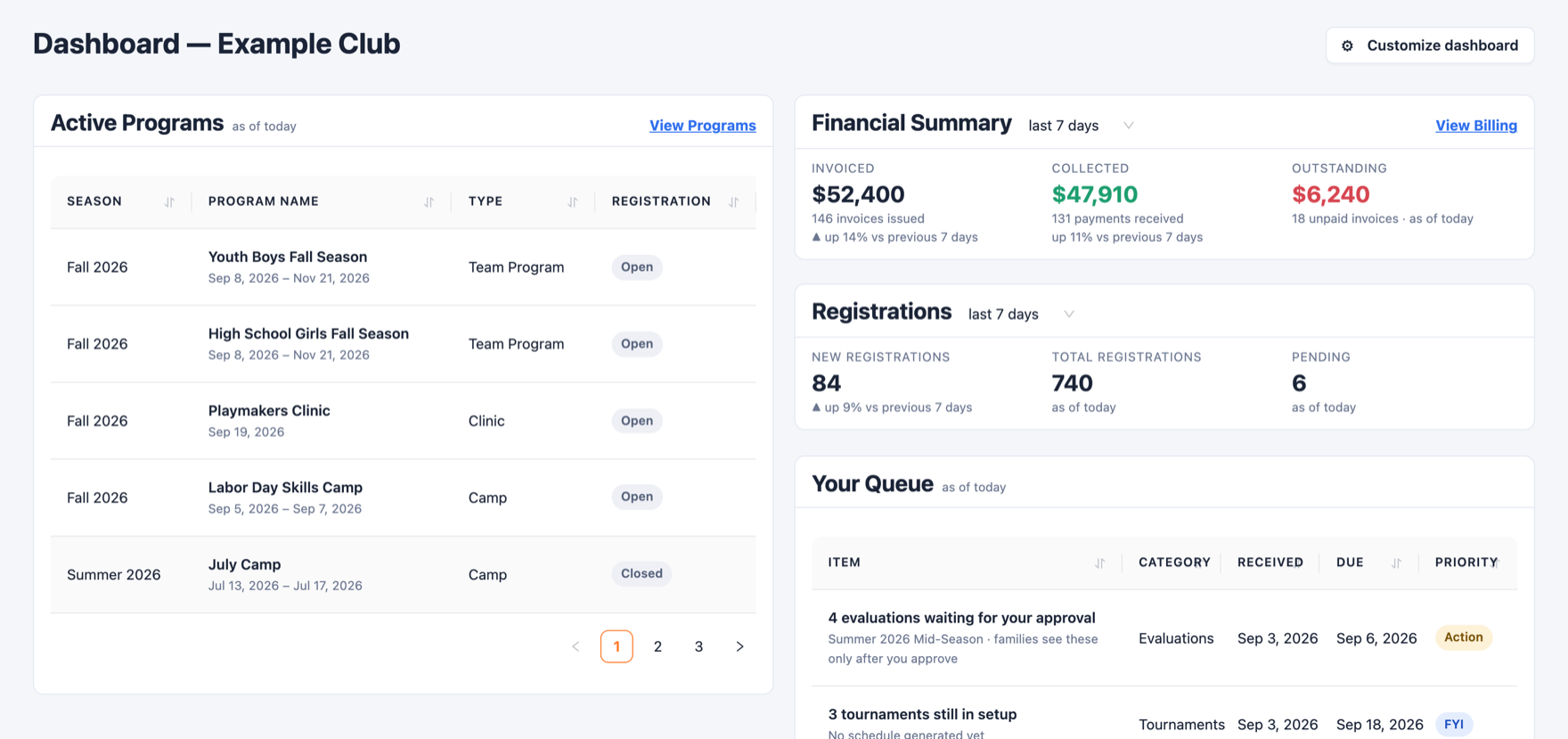
Stop duct-taping your program together.
Registration & payments
Custom forms, card payments, payment plans, discount codes and receipts. Dues stop being a chase.
Tryouts
Sign-ups, check-in and scoring from a phone, then place players onto teams on one board.
Scheduling
Practices, games and events across every team. Families mark availability and coaches see who is in.
Player evaluations
Customizable grading from a skill library. Families keep a history that shows growth season over season.
Coach's toolbox
Guidelines, plays, a drill library and practice plans shared across every coach in the club.
Tournaments & leagues
Pools, brackets and standings. Score courtside on a phone, seed the playoffs from the standings, and watch winners move through the bracket.
Team store
Families preorder gear and pay by card, then pick it up.
Film library
Every game's film in one place. Paste links from Hudl, YouTube or Vimeo and share them with your coaches.
Club website
A template, your photos and sponsors, your own domain, and a program list that updates itself.
Tryouts on Saturday. Teams registered by Monday.
Run the whole thing in one place, from the first tryout score to a paid registration on the right team.
- EvaluateScore every athlete
Your evaluators grade each player against your own categories, with notes. Compare puts players side by side, next to their last club evaluation.
- PlaceBuild your teams
Drag players onto teams, one column per team. Confirm your placements when the staff agrees.
- TellSend every offer at once
From one screen, email the players who made a team, the ones who didn't, and your waitlist. Every email is sent and recorded for you.
- Accept and registerFamilies say yes and pay
Each family gets their own link that opens their team's registration, with the payment plans you set on the program.
Offers go out from Tell, and you see who was emailed, who registered and who declined.
A family's link registers that player for that team only. Any other program is refused.
Set plans on the program, and limit a plan to the families you choose.
Feedback that goes both ways.
Coaches evaluate players. Families tell you how the season went. You see both, so the club gets better every season.
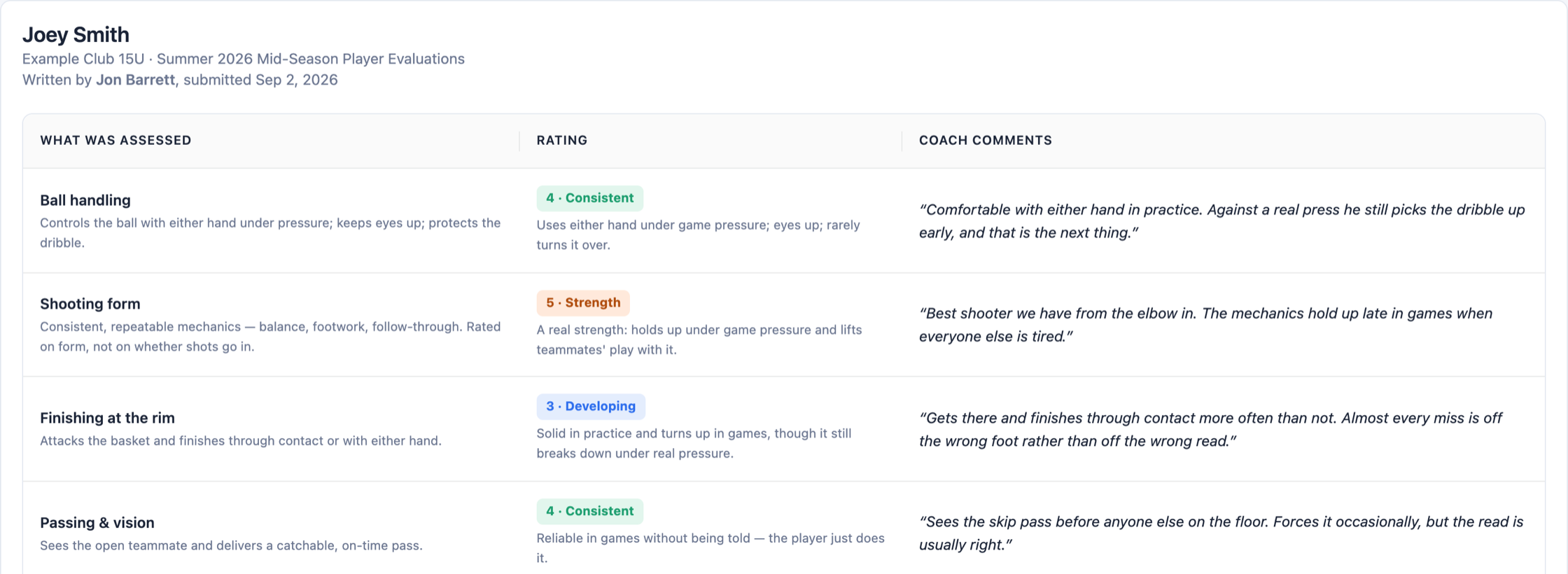
Player evaluations
- Customizable grading: write your club's own description of every level, so every coach rates the same way
- Mix question types: ratings, yes or no, multiple choice and written answers
- Coach comments on each skill, turned on or off by the club
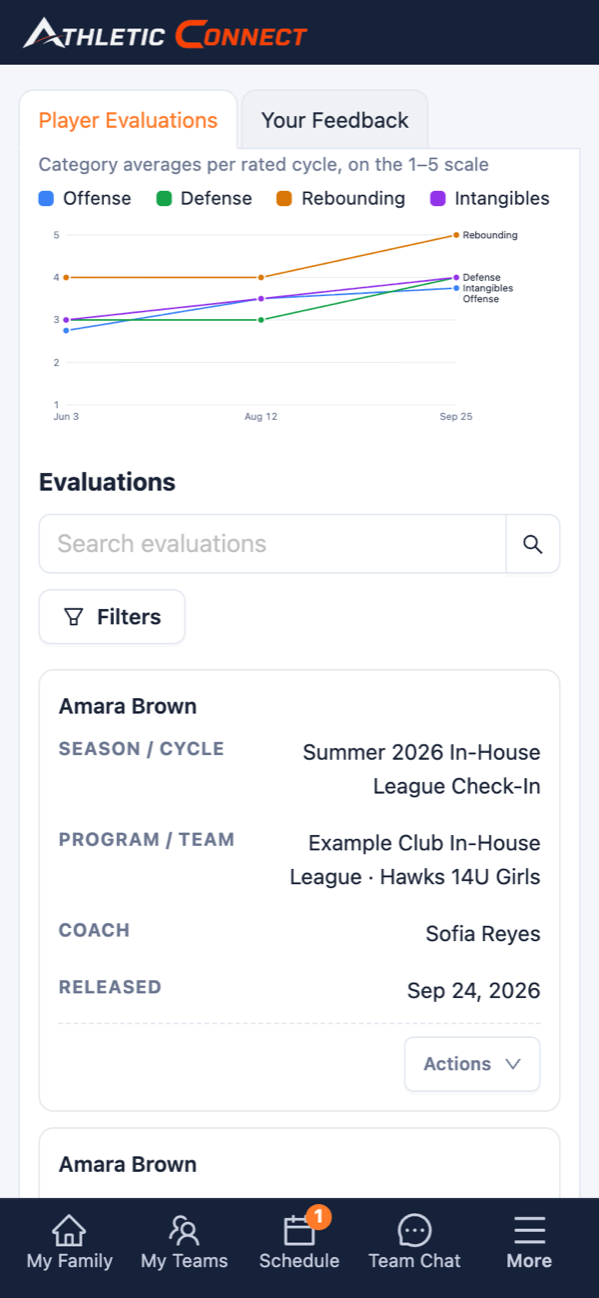
- Families see an evaluation only after you release it, so nothing goes out that you haven't read
- A history and chart families keep, showing growth season over season
Family feedback
- Send families a survey about their season from the same place you run evaluations
- Let them answer anonymously, so you hear what they really think
- Read the results and comments before families decide whether to come back
Every team coached the club's way.
Most club coaches are volunteers or part-time. The toolbox hands each of them your program's playbook, so a player gets the same teaching from 10U to 17U, whoever their coach is this season.
- Program guidelines for your philosophy, offensive and defensive principles and what you expect of every coach, ready to print or save as a PDF
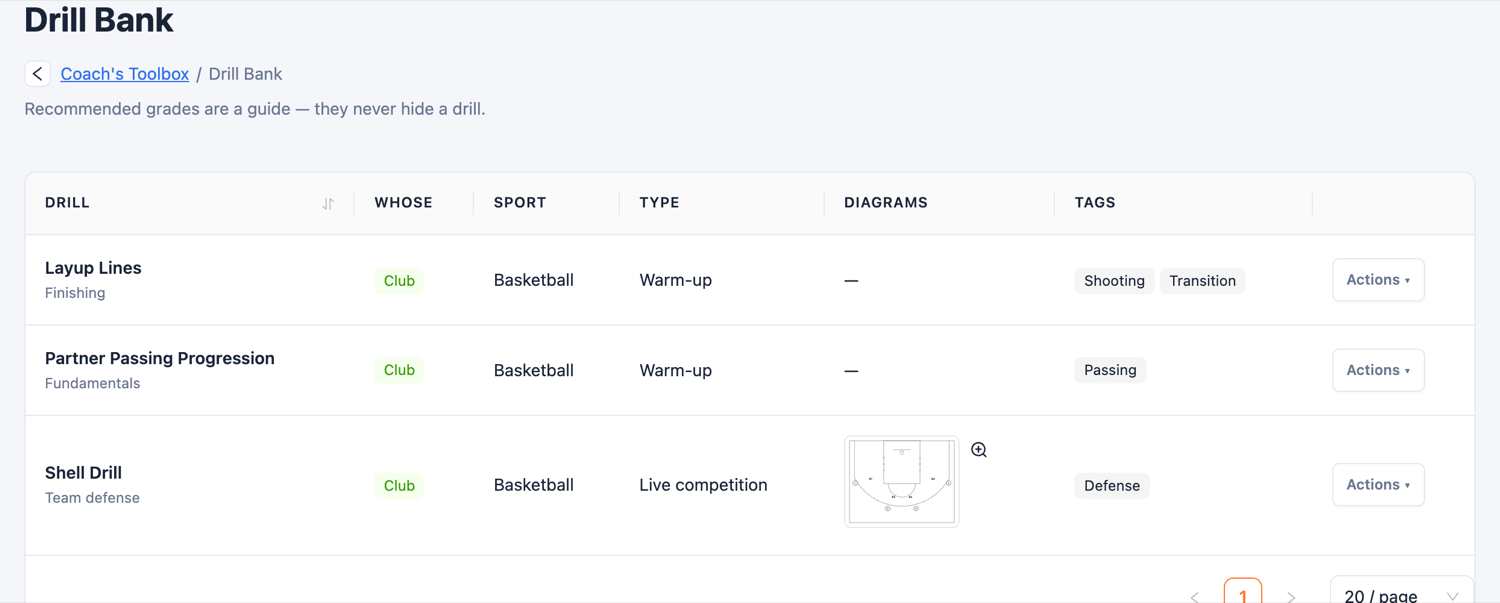
- A club drill bank every coach can use, with step-by-step diagrams, tags, grade ranges and video links
- Sets and plays drawn step by step, printed as a playbook four or six to a page
- Practice plans with timed blocks built from club drills, saved as templates any coach can pick up and run
- A film library with your game film and your opponents' in one place
- On the coach's phone, with its own Toolbox tab in the app
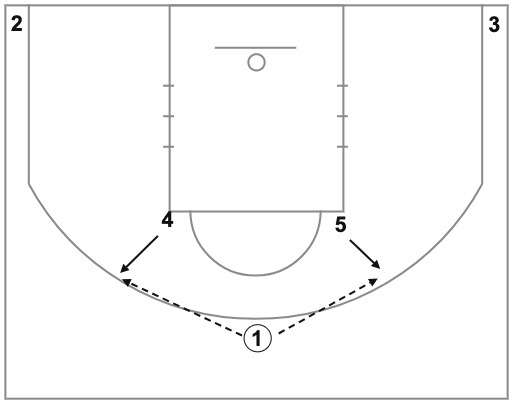
The 4 and the 5 pop to the 3-point line. The 1 can pass to either one.
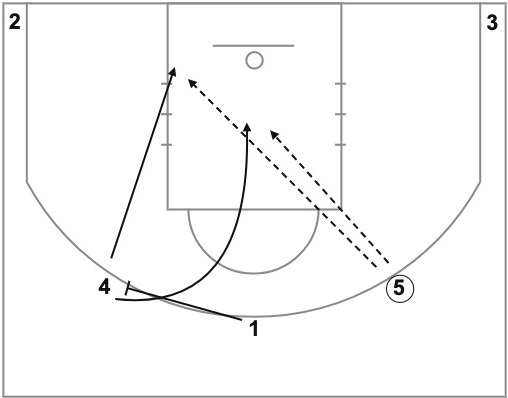
The 1 sets an away screen for the 4 (who did not receive the first pass). The 4 curls hard to the basket or slips back door. This is the first look for the 5.
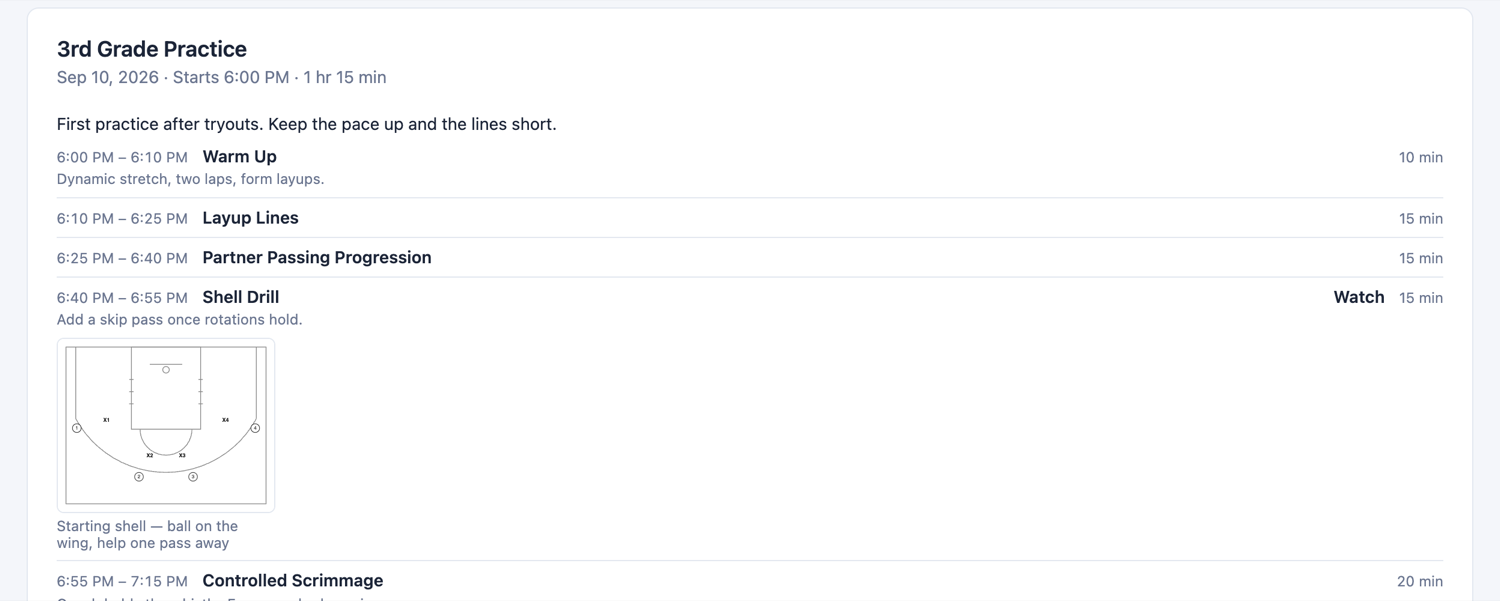
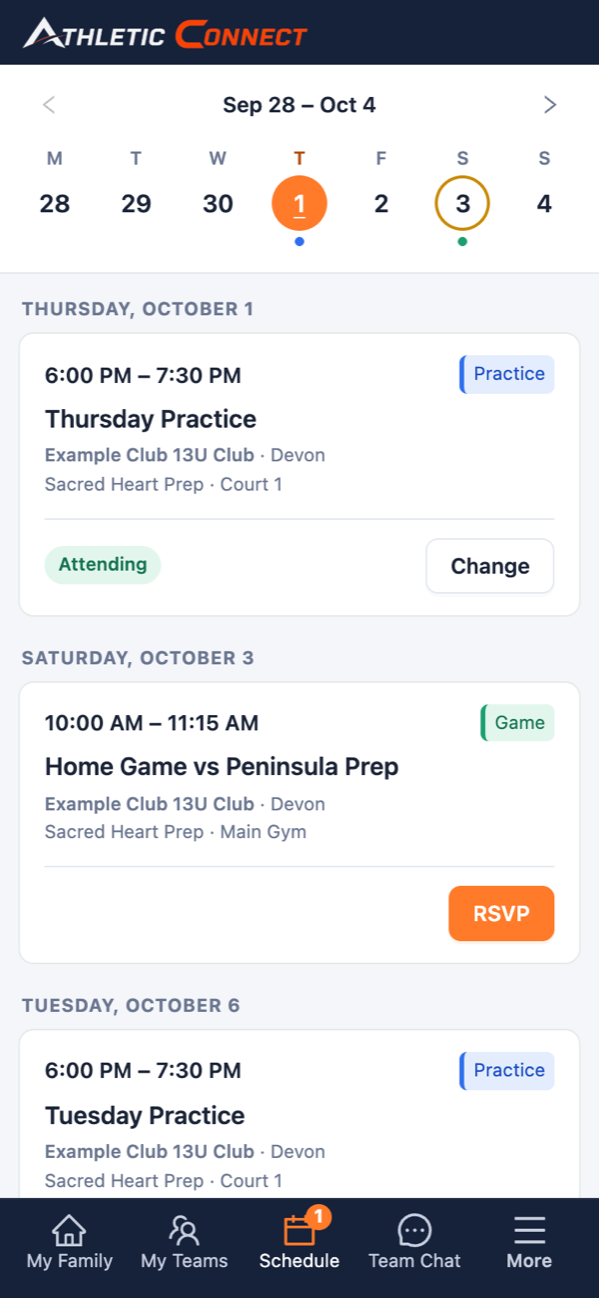
What parents actually open the app for.
- Every child's schedule in one list, each event labeled with who it's for, and a filter for one child
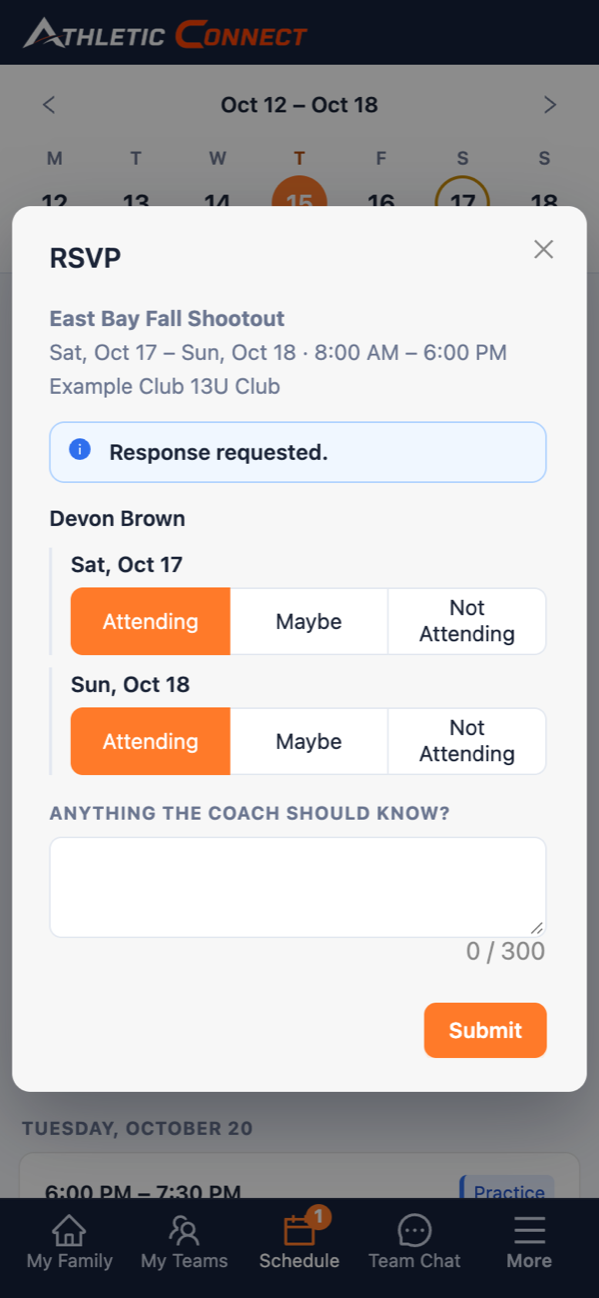
- RSVP in a tap, even day by day for a weekend tournament
- The address and directions on every practice and game
- Team chat for each team, where coaches and families talk in one place instead of group texts
- An email and an in-app alert when an event is added, changed or canceled
- Billing is there too, for the families on a payment plan
No monthly subscription. Your club keeps its full price.
Pick a plan and families pay a small fee on each online payment. The more you bundle, the less you pay.
See it with your own program.
A 30-minute walkthrough with your teams, your schedule and your season. Leave your email and we'll set it up.